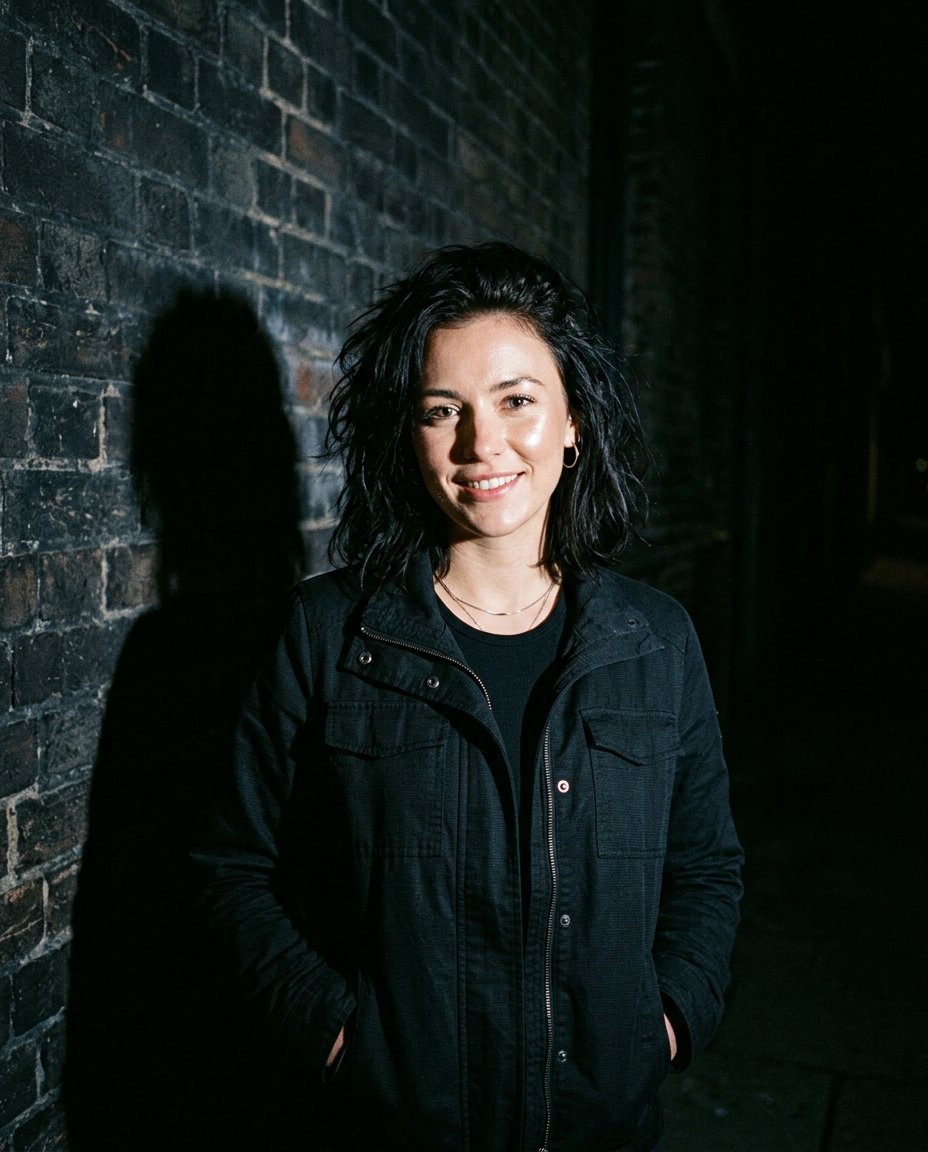
This lighting-editing prompt recreates the direct-flash night portrait look that is appearing across current social-photo prompt collections. Instead of stacking unrelated filters, it gives the editor a precise brief: hard on-camera flash, crisp highlights, a visible cast shadow, dark ambient surroundings, restrained cool shadows and imperfect compact-camera texture.
What This Prompt Changes
- Rebuilds the light as a strong direct on-camera flash in a dim night setting
- Adds crisp facial highlights and a believable wall or ground shadow
- Darkens and simplifies the background while keeping the subject separated
- Applies subtle digicam grain, slight exposure imperfection and restrained color grading
How to Use It
Upload a clear portrait to ChatGPT or Gemini and paste the prompt. A simple original background gives the flash shadow somewhere believable to fall. Ask for a second pass if highlights blow out the eyes or skin; the goal is raw camera realism, not a white beauty filter.
Customize the Result
- Choose a setting: brick wall, elevator lobby, parking deck or quiet street
- Tune the finish: clean editorial flash, early-digital digicam or paparazzi candid
- Change the shadow: soft wall silhouette, short ground shadow or side-cast profile
AI Photo Editing Prompt
PromptEdit the uploaded portrait into a realistic direct-flash night photograph while preserving the exact adult subject. Lock the person's facial structure, identity, skin tone, eye shape, hair, expression, body proportions, clothing silhouette and pose; do not beautify, reshape, de-age or smooth natural skin texture. Rebuild the lighting as a strong compact-camera flash fired from just above the lens in a dim nighttime environment. Create crisp but natural highlights on the forehead, cheekbones, nose and fabric, with a believable soft-edged shadow falling onto the nearby dark brick wall behind the subject. Keep the background underexposed with deep but detailed shadows, cool blue-gray ambient tones and a subtle warm skin response. Add restrained high-ISO digicam grain, tiny exposure imperfections, realistic flash falloff and slight highlight bloom; keep the eyes clear and avoid artificial red-eye. Preserve real pores and hair strands. The result should feel like an unplanned fashion or nightlife snapshot, not a polished studio render. No text, signs, logos, watermark or extra people. Vertical 4:5. Midjourney / Flux.1 alternative: [IMAGE_URL] direct on-camera flash night portrait of [SUBJECT], crisp natural face, visible wall shadow, dark underexposed background, cool blue shadows, warm skin highlights, subtle compact-digicam grain, candid editorial photography --ar 4:5 --style raw --cref [IMAGE_URL] --cw 25 --iw 2.0
Negative Prompt
Negative Promptchanged face, plastic skin, beauty filter, flat studio light, invisible shadow, blown-out eyes, red-eye, oversaturated skin, readable sign, logo, watermark, extra people, cartoon style, excessive HDR
Prompt Details
| Prompt Type | Photo Editing |
|---|---|
| AI Tool | ChatGPT |
| Style | Photorealistic |
| Category | Photo Editing |
| Use Case | Instagram, Social Media |
| Tags | digicam, direct flash, flash photography, hard light, night portrait, paparazzi |
| Aspect Ratio | 4:5 |
| Lighting | Hard on-camera flash |
| Camera | Compact digital camera |
| Lens | 28mm |
| Mood | Raw, confident |
| Difficulty | Beginner |
How to Use This Prompt
- Copy the prompt using the button above.
- Open your preferred AI image-generation or editing tool.
- Upload the photo you want to edit.
- Paste the prompt into the text field.
- Adjust parameters (aspect ratio, quality, steps) if necessary.
- Generate or edit the image, then refine until you like the result.