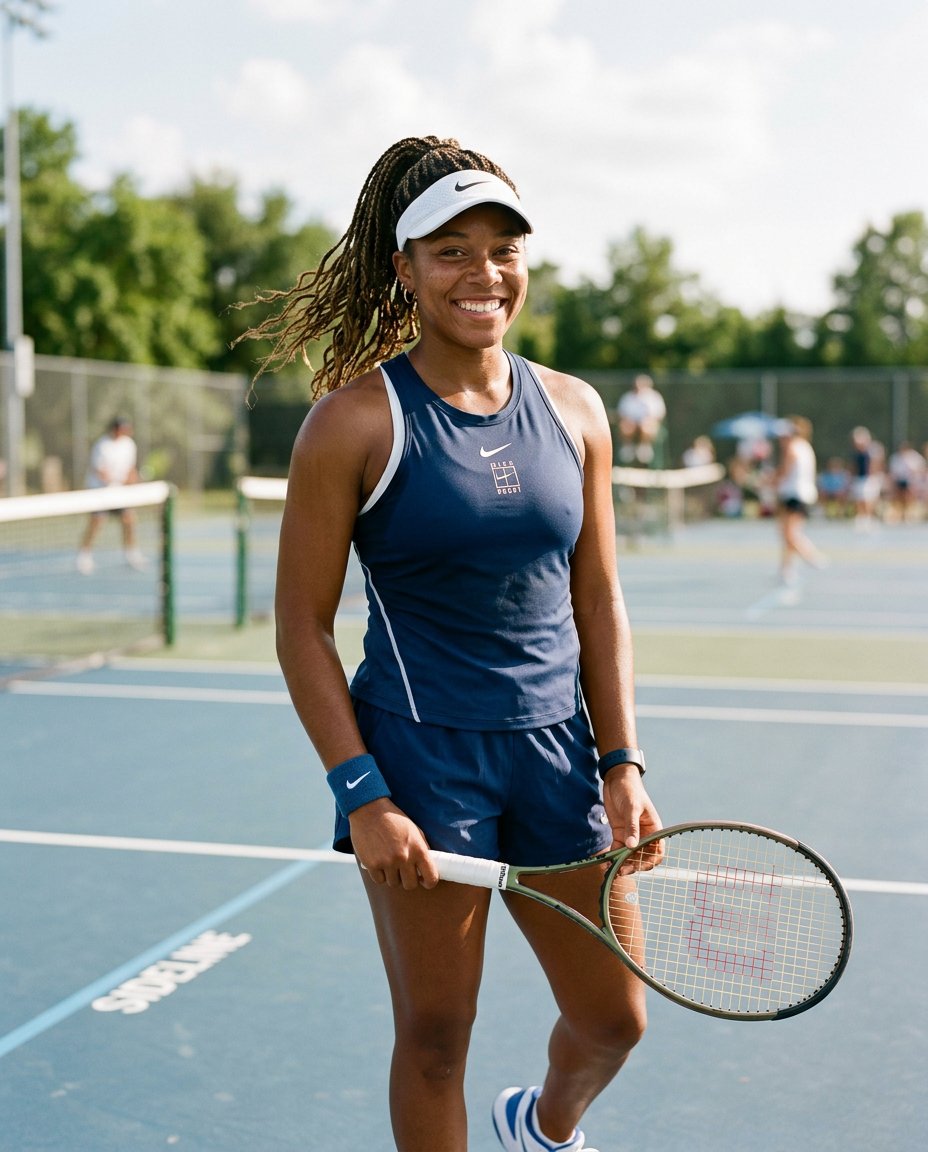
This photo editing prompt turns a photo into an athletic tennis player portrait. It adds sportswear, a racket and an outdoor court while keeping the person’s face and identity exactly the same. Perfect for tennis feeds, sports content and active lifestyle posts.
What This Prompt Changes
- Replaces the outfit with tennis sportswear
- Adds a racket and an outdoor tennis court
- Applies bright energetic daylight
- Keeps the face, body proportions and identity exactly the same
Best Photo for This Prompt
Use a bright, clear photo with the face and upper body visible in daylight. An energetic, confident expression suits the sporty mood. Avoid heavy clothing and dark shadows.
Customize the Result
- Change the setting: court, club or training wall
- Change the outfit: tennis dress, shorts or tracksuit
- Add a visor, wristband or tennis balls
- Change the format: 9:16 for Stories or 1:1 for the grid
AI Photo Editing Prompt
PromptUse the uploaded photo as the exact face and identity reference. Keep the person's facial identity, skin tone, facial proportions, hairstyle and body proportions completely unchanged. Transform the photo into an athletic tennis player portrait. Dress them in tennis sportswear and place a tennis racket in their hand, standing on an outdoor tennis court with the net softly blurred behind them. Pose: energetic and confident, looking toward the camera. Lighting: bright daylight with soft shadows and a fresh sporty color grade. Camera: vertical 4:5 Instagram framing, 50mm lens look, shallow depth of field with sharp focus on the face. Keep realistic skin texture, natural fabric detail and a photorealistic finish. The result should look like a genuine tennis photograph of the same person.
Negative Prompt
Negative Promptchanged face, different person, distorted hands, bad anatomy, cartoonish, watermark, text, oversaturated, dark shadows
Prompt Details
| Prompt Type | Photo Editing |
|---|---|
| AI Tool | Flux |
| Style | Photorealistic |
| Category | Photo Editing |
| Use Case | Instagram, Social Media |
| Tags | court, identity preservation, instagram, photo editing, player, portrait, sports, tennis |
| Aspect Ratio | 4:5 |
| Lighting | Bright daylight |
| Camera | DSLR |
| Lens | 50mm |
| Mood | Energetic |
| Difficulty | Beginner |
How to Use This Prompt
- Copy the prompt using the button above.
- Open your preferred AI image-generation or editing tool.
- Upload the photo you want to edit.
- Paste the prompt into the text field.
- Adjust parameters (aspect ratio, quality, steps) if necessary.
- Generate or edit the image, then refine until you like the result.