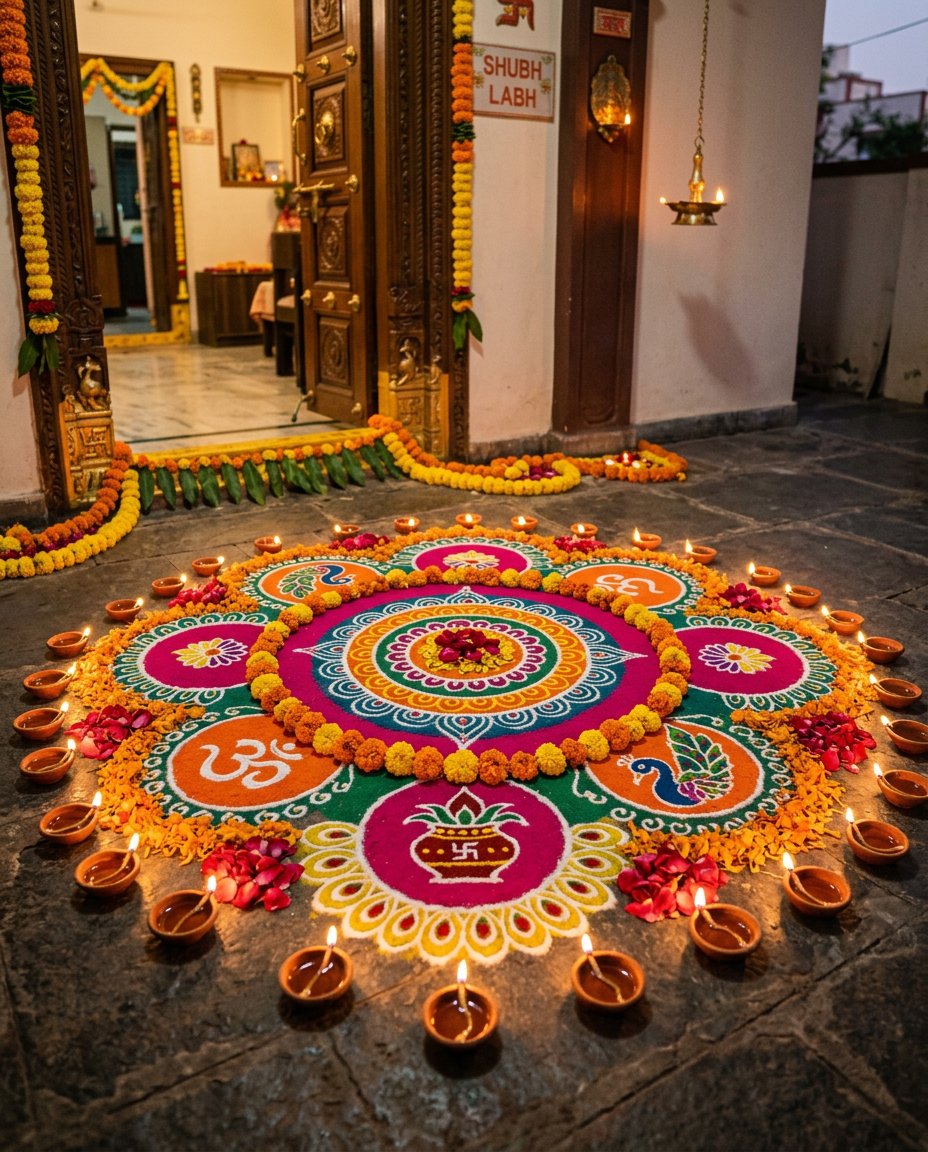
This photo editing prompt turns a photo into a rangoli and marigold home decor scene. It adds a colorful floor rangoli, marigold garlands and glowing diyas at the entrance of a home. Perfect for Diwali home decor posts, festive feeds and Indian decor content.
What This Prompt Changes
- Adds a colorful rangoli design with flower petals
- Adds lit oil diyas and marigold garlands
- Creates a warm festive evening entrance scene
- Keeps the main elements from your photo recognizable
Best Photo for This Prompt
Use a clear photo of your entrance, floor or any home decor in even light. A tidy surface works best. Avoid very dark photos and heavy filters.
Customize the Result
- Change the rangoli pattern and colors
- Change the decor: diyas, marigold or candles
- Change the setting: entrance, courtyard or balcony
- Change the format: 9:16 for Stories or 1:1 for the grid
AI Photo Editing Prompt
PromptTransform the uploaded photo into a rangoli marigold home decor scene. Create a beautiful colorful rangoli design made of colored powder and flower petals on the floor at the entrance of an Indian home, decorated with lit oil diyas and marigold garlands around it. Keep the main elements from the photo recognizable. Lighting: warm festive evening light with a soft glow and gentle shadows. Camera: vertical 4:5 Instagram framing, 50mm lens look, sharp focus with high detail on the rangoli patterns and petals. The result should look like a professionally photographed festive home decor scene.
Negative Prompt
Negative Promptpeople, distorted patterns, cartoonish, watermark, text, oversaturated, dark shadows
Prompt Details
| Prompt Type | Photo Editing |
|---|---|
| AI Tool | Flux |
| Style | Photorealistic |
| Category | Photo Editing |
| Use Case | Instagram, Social Media |
| Tags | diwali, diya, festival, home decor, instagram, marigold, photo editing, rangoli |
| Aspect Ratio | 4:5 |
| Lighting | Warm evening |
| Camera | DSLR |
| Lens | 50mm |
| Mood | Festive |
| Difficulty | Beginner |
How to Use This Prompt
- Copy the prompt using the button above.
- Open your preferred AI image-generation or editing tool.
- Upload the photo you want to edit.
- Paste the prompt into the text field.
- Adjust parameters (aspect ratio, quality, steps) if necessary.
- Generate or edit the image, then refine until you like the result.