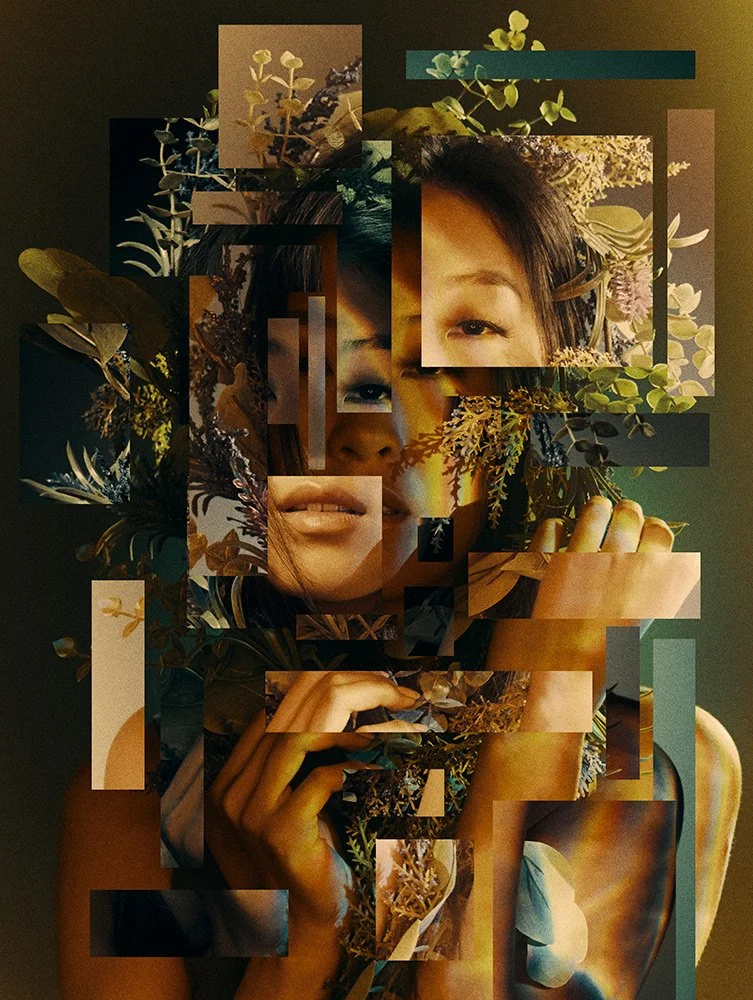
Make your next Instagram Story feel like a candid moment captured on a compact digital camera. This photo-editing idea uses soft direct flash, glossy highlights, a little film grain and an effortless outfit to create a stylish, spontaneous portrait without losing the person’s real identity.
Sample image: The featured image is an illustrative portrait style reference, not a before-and-after result generated by this prompt.
What This Prompt Creates
- A vertical, story-friendly portrait with a candid compact-camera mood.
- Soft direct flash, gentle background falloff and natural skin texture.
- A modern outfit in cream, black or muted pastel tones with minimal accessories.
- A believable café, balcony or evening city setting without fake text or social-media UI.
- A clean 9:16 composition with some negative space for adding a Story caption later.
How to Use It
- Choose a clear solo portrait of an adult woman that you have permission to edit.
- Upload it to Gemini, ChatGPT or another editor that accepts image references.
- Copy the main prompt below and generate the edit.
- Post the image to Instagram Story, then add your own music, stickers or text inside Instagram.
Main AI Photo Editing Prompt
Use the uploaded image as the exact identity reference for the same adult woman. Preserve her recognizable facial features, face shape, skin tone, age, hairstyle, expression and natural skin texture. Transform the photo into an effortlessly stylish Instagram Story portrait with the candid feel of a compact digital camera at night. Dress her in a modern, understated outfit such as a soft cream top, tailored dark jacket and delicate silver jewellery. Place her near a warmly lit café window or a simple city balcony after sunset, with a few realistic background lights softly out of focus. Use gentle direct on-camera flash with natural falloff, subtle highlights on the hair and eyes, realistic shadows, restrained grain and clean editorial color grading. Keep the result spontaneous and believable rather than overly posed or heavily retouched. Maintain realistic anatomy, natural hands and accurate body proportions. Compose as a vertical 9:16 Instagram Story image, with uncluttered negative space near the top or bottom for the user to add their own caption later. No text, logos, watermarks or imitation Instagram interface.
Negative Prompt
different person, changed face, altered skin tone, plastic skin, excessive skin smoothing, exaggerated makeup, overdone retouching, distorted hands, extra fingers, duplicate limbs, blurry eyes, fake bokeh, neon oversaturation, harsh blown-out flash, cartoon, CGI, text, logos, watermark, fake Instagram UI, low resolution.
Try These Mood Variations
- Soft café moment: warm café lighting, a simple drink on the table and a relaxed candid expression.
- City-night chic: deeper shadows, small city lights and a black jacket with subtle silver accessories.
- Pastel morning: pale blue or blush styling, soft window light and a clean, airy background.
Tips for a Natural Result
A clear, evenly exposed source photo usually gives the editor more facial detail to work with. Keep the styling simple and ask for lighter retouching if the result looks artificial. Use your own photo or one you have permission to edit. This prompt guides an aesthetic, but does not guarantee reach or engagement.
AI Photo Editing Prompt
Negative Prompt
Prompt Details
| Prompt Type | Photo Editing |
|---|---|
| AI Tool | ChatGPT, Gemini |
| Style | Editorial, Photorealistic |
| Category | Photo Editing, Photography, Portrait |
| Use Case | Girls, Instagram, Social Media |
| Tags | candid girl portrait, girls Instagram story prompt, Instagram Story photo editing, soft flash portrait |
| Aspect Ratio | 9:16 |
| Lighting | Soft direct flash with warm ambient background |
| Camera | Compact digital camera / direct flash look |
| Lens | 35mm candid portrait look |
| Mood | Candid, stylish, confident |
| Difficulty | Beginner |
How to Use This Prompt
- Copy the prompt using the button above.
- Open your preferred AI image-generation or editing tool.
- Upload the photo you want to edit.
- Paste the prompt into the text field.
- Adjust parameters (aspect ratio, quality, steps) if necessary.
- Generate or edit the image, then refine until you like the result.