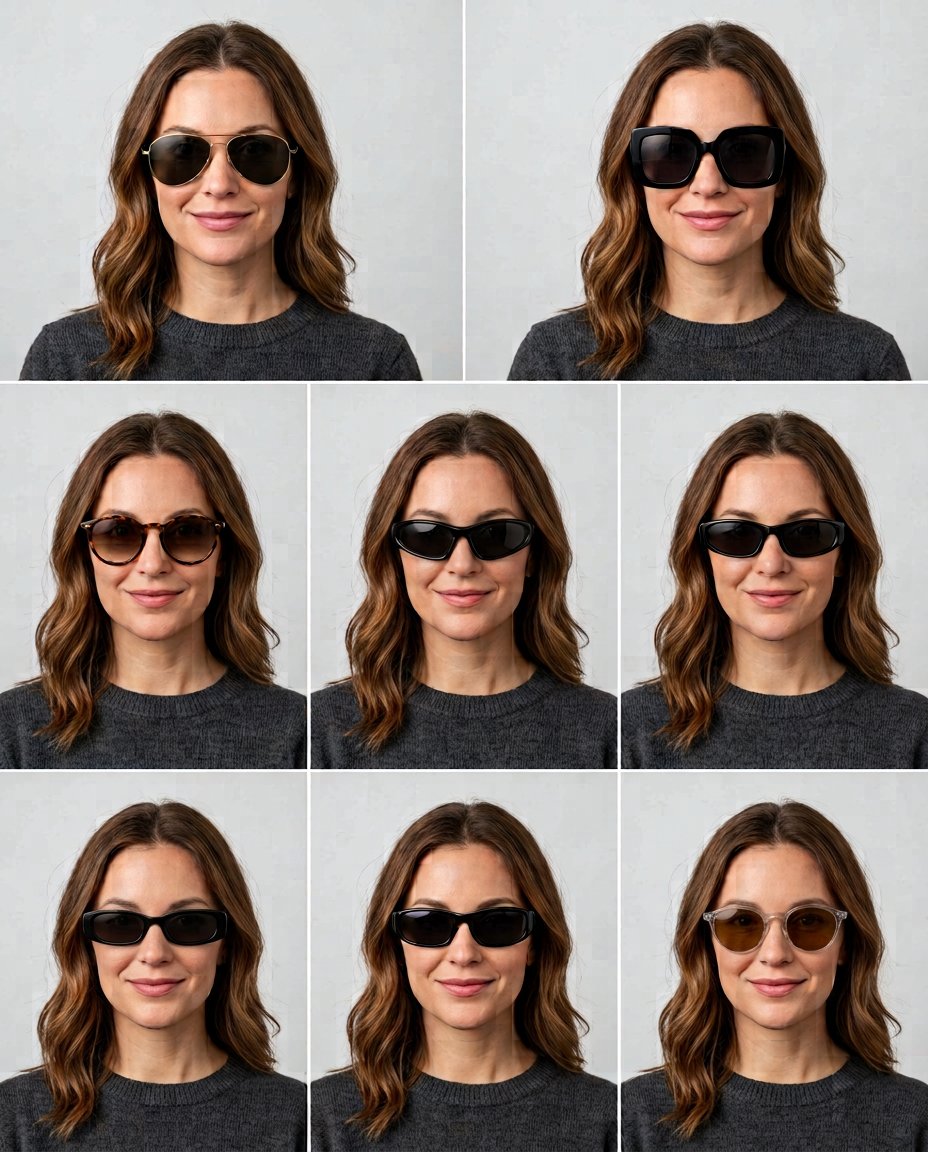
This prompt creates a useful, shareable eyewear try-on grid from one selfie. It changes only the sunglasses, keeps the same face and camera setup in every cell, and leaves out brand logos so the grid works for style decisions, social posts or a quick friend poll.
What This Prompt Changes
- Shows six eyewear silhouettes on the same face in one grid
- Keeps face shape, hairstyle, outfit, expression and lighting consistent
- Includes aviator, square, tortoiseshell, narrow retro, clear acetate and sporty styles
- Preserves realistic frame fit, lens reflections and visible facial proportions
How to Use It
Upload a front-facing selfie with the eyes, nose bridge and jaw visible. Ask ChatGPT or Gemini to generate a 2-by-3 grid. Use a plain background and add labels later if you want to run a poll on Instagram Stories.
Customize the Result
- Swap the six styles for frames suited to round, oval, square or heart-shaped faces
- Request clear lenses, polarized sunglasses, colorful acetate or thin metal frames
- Choose a clean white grid, neutral studio or mirror-selfie presentation
AI Photo Editing Prompt
PromptUse the uploaded selfie as the exact face, hairstyle, skin tone, outfit, expression and camera reference. Create a clean 2-by-3 comparison grid showing the same adult in six separate head-and-shoulders cells with identical framing, neutral background and even soft light. Change only the sunglasses: thin metal aviators, oversized black square frames, rounded tortoiseshell frames, narrow retro frames, clear acetate frames and sporty wraparound frames. Keep the same eye spacing, nose, jaw, hair and facial identity in every cell. Make each frame sit naturally on the nose and ears with realistic lens tint, subtle reflections and correct scale; do not cover the face with unrelated accessories. Use no brand marks or logos. Leave simple spacing between cells and render no labels, words or fake typography so the user can add them later for an Instagram poll. Photorealistic virtual try-on grid, vertical 4:5. Midjourney / Flux.1 alternative: [SELFIE_IMAGE] six-cell sunglasses try-on comparison grid, same exact face and hairstyle in every cell, aviator, oversized square, tortoiseshell round, narrow retro, clear acetate and sporty wraparound frames, accurate fit, neutral studio, no logos or text --ar 4:5 --style raw --iw 2.0
Negative Prompt
Negative Promptdifferent face between cells, changed hairstyle, warped glasses, floating frames, hidden nose, mismatched eye spacing, brand logo, text, watermark, extra person, beauty filter, inconsistent lighting
Prompt Details
| Prompt Type | Photo Editing |
|---|---|
| AI Tool | Gemini |
| Style | Photorealistic |
| Category | Photo Editing |
| Use Case | Instagram, Social Media |
| Tags | accessory try on, eyewear styles, face shape, glasses grid, sunglasses try on, virtual try on |
| Aspect Ratio | 4:5 |
| Lighting | Even studio light |
| Camera | Virtual try-on camera |
| Lens | 85mm portrait |
| Mood | Clean, useful |
| Difficulty | Intermediate |
How to Use This Prompt
- Copy the prompt using the button above.
- Open your preferred AI image-generation or editing tool.
- Upload the photo you want to edit.
- Paste the prompt into the text field.
- Adjust parameters (aspect ratio, quality, steps) if necessary.
- Generate or edit the image, then refine until you like the result.