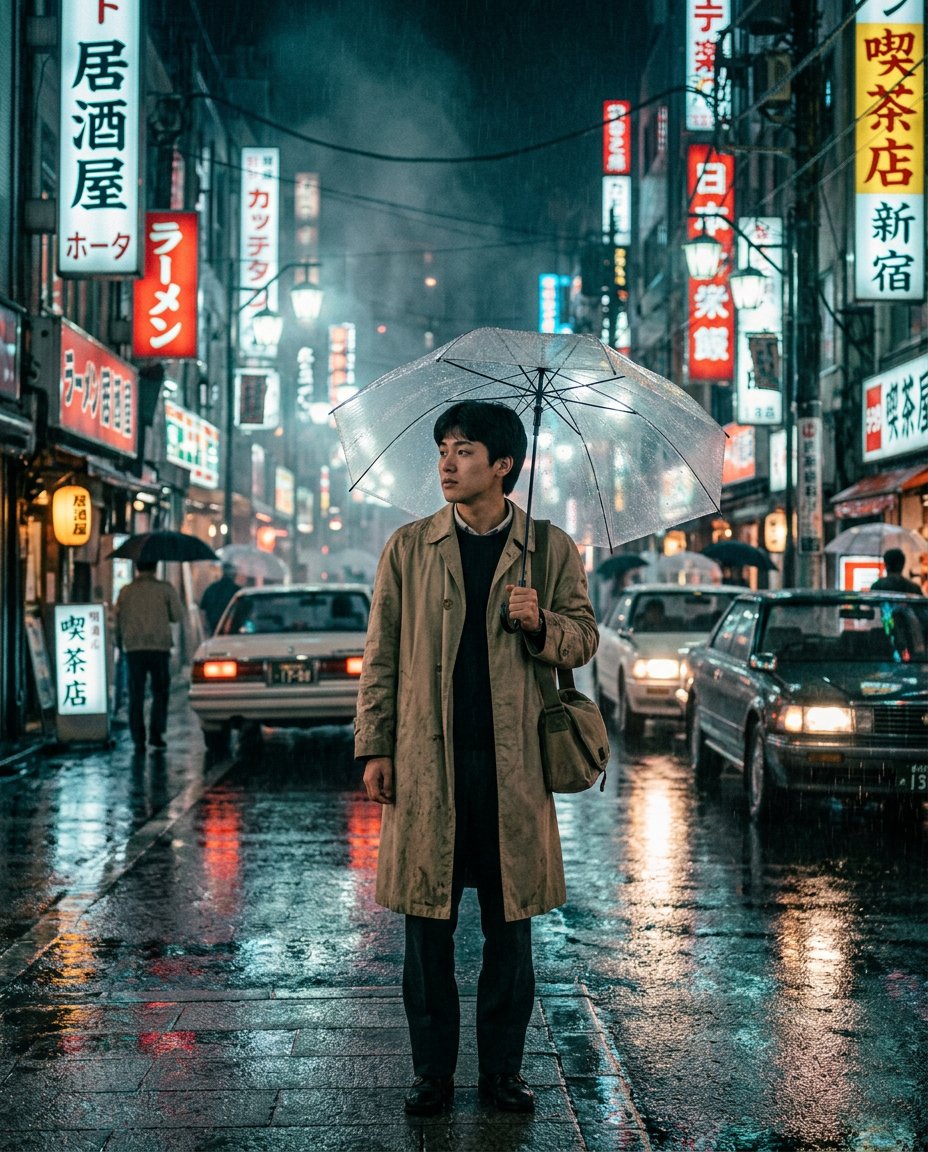
This photo-editing prompt is the cinematic time-travel trend: you standing on a rainy Tokyo street at night in 1986 with a transparent vinyl umbrella and a period trench coat, surrounded by glowing vintage neon signs, wet-asphalt reflections and cinematic fog, lit so the environment light genuinely falls on your face.
What This Prompt Creates
- Transports you into a rainy 1986 Tokyo street at night
- Adds a transparent vinyl umbrella and period-accurate trench coat styling
- Builds vintage neon signage, old cars and wet-asphalt reflections
- Matches the neon and street light naturally to your face with cinematic fog and grain
How to Use It
Upload a clear waist-up photo to ChatGPT (GPT-4o image) or Gemini and paste the prompt. Change the year and city to time-travel anywhere: 1970s New York, 1990s Hong Kong, 1980s Mumbai.
Customize the Result
- Change the era-city: 1990s Hong Kong, 1970s New York, 1980s Bombay
- Change the weather: rain, fog or light snow
- Change the palette: teal-magenta film or warm sodium streetlight
AI Photo Editing Prompt
PromptMaintain the exact facial structure, bone features, skin tone, hair texture, and identity of the person in the uploaded reference photo without alteration. Vertical 4:5 aspect ratio. Quality: ultra-photorealistic, premium editorial finish, hyper-detailed natural textures, cinematic depth, masterpiece quality. Place this person inside a rainy Tokyo street in 1986 at night. The subject holds a transparent vinyl umbrella and wears a period-accurate beige trench coat. Add glowing vintage neon shop signs, old signage and vintage cars in the background, neon reflections on wet asphalt, cinematic fog, and realistic lighting that naturally matches the environment and falls on the subject's face. Moody teal-and-magenta film grade, subtle film grain, photorealistic, cinematic composition. Midjourney / Flux.1 alternative: [IMAGE_URL] [SUBJECT] on a rainy 1986 Tokyo street at night, transparent umbrella, trench coat, vintage neon reflections, cinematic fog, film grain --ar 4:5 --style raw --cref [IMAGE_URL] --cw 15 --iw 2.0
Negative Prompt
Negative Promptmodern signage, anachronistic objects, deformed face, flat lighting, watermark, low detail, plastic skin
Prompt Details
| Prompt Type | Photo Editing |
|---|---|
| AI Tool | ChatGPT |
| Style | Cinematic |
| Category | Portrait |
| Use Case | Instagram, Social Media |
| Tags | cinematic, neon night, rain, retro, time travel, tokyo |
| Aspect Ratio | 4:5 |
| Lighting | Neon + streetlight match |
| Camera | Cinema camera |
| Lens | 35mm |
| Mood | Moody, cinematic |
| Difficulty | Intermediate |
How to Use This Prompt
- Copy the prompt using the button above.
- Open your preferred AI image-generation or editing tool.
- Upload the photo you want to edit.
- Paste the prompt into the text field.
- Adjust parameters (aspect ratio, quality, steps) if necessary.
- Generate or edit the image, then refine until you like the result.