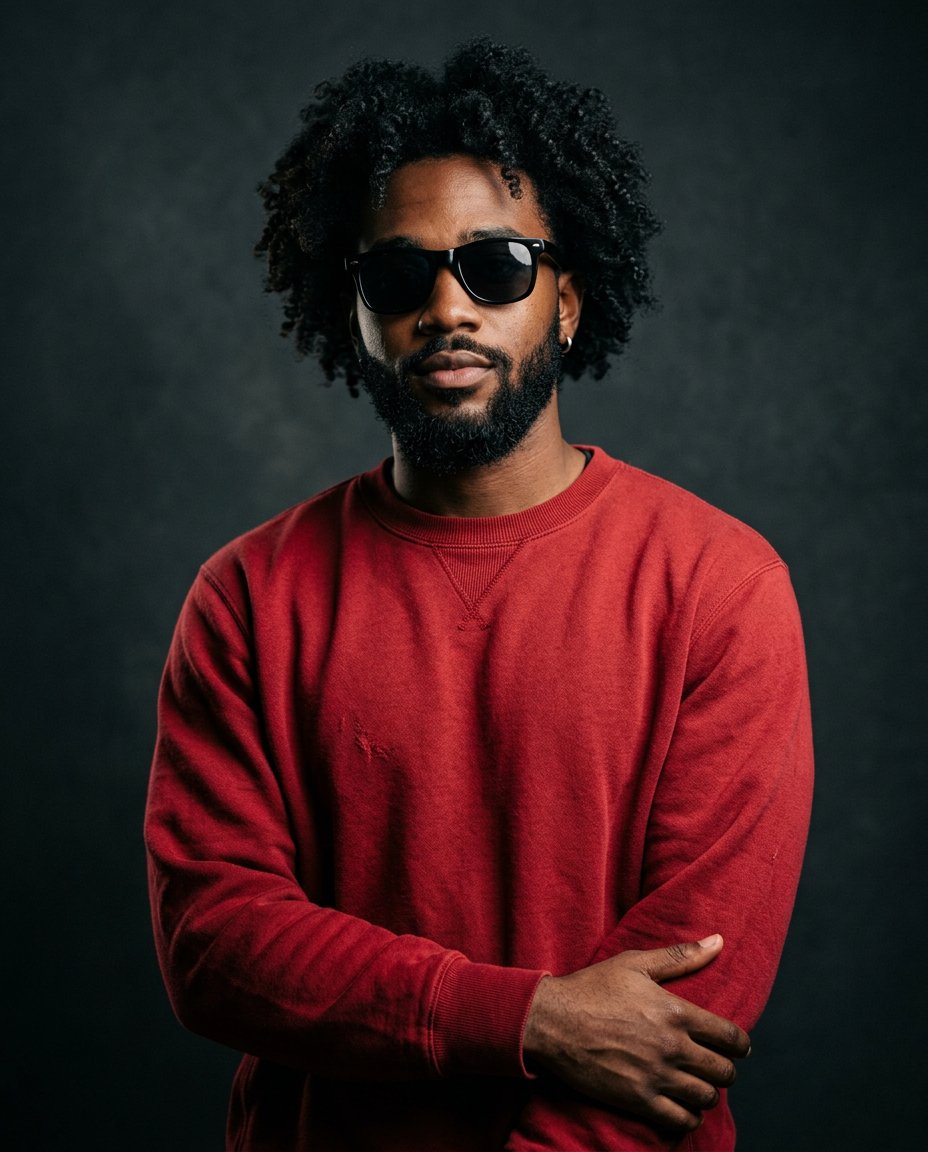
This image prompt generates a cinematic studio portrait of a young man with thick curly black hair, a well-groomed beard, black sunglasses and a small hoop earring, dressed in a rich red sweatshirt. A relaxed mid-torso pose and moody studio lighting give it a premium editorial fashion look.
What This Prompt Creates
- Creates a mid-torso studio portrait from scratch
- Adds a rich red sweatshirt and black sunglasses
- Adds moody studio lighting with soft shadows
- Delivers a cinematic grade with ultra-detailed skin texture
How to Use It
This is a text-to-image prompt, so no source photo is needed. Paste it directly into your AI image tool and generate.
Customize the Result
- Change the sweatshirt color: red, black or cream
- Change the look: with or without sunglasses or earring
- Change the grade: moody, teal-orange or monochrome
- Change the format: 9:16 for Stories or 1:1 for the grid
AI Image Prompt
PromptA cinematic studio portrait of a young man with thick curly black hair and a well-groomed beard, wearing black sunglasses and a small hoop earring in his left ear, dressed in a rich red sweatshirt. He is posed in a relaxed stance with a calm, confident expression, framed as a mid-torso shot against a seamless studio backdrop. Dramatic studio lighting wraps around his silhouette with soft shadows, cinematic color grading with moody highlights and rich contrast, ultra-detailed skin texture, premium editorial photography, sharp focus on the face, photorealistic.
Negative Prompt
Negative Promptdeformed face, bad anatomy, extra fingers, distorted sunglasses, watermark, text, logo, low detail, flat lighting, overexposed
Prompt Details
| Prompt Type | Image Generation |
|---|---|
| AI Tool | Flux |
| Style | Cinematic |
| Category | Portrait |
| Use Case | Instagram, Social Media |
| Tags | beard, cinematic, editorial fashion, hoop earring, instagram, men's fashion, moody, portrait, red sweatshirt, studio portrait, sunglasses |
| Aspect Ratio | 4:5 |
| Lighting | Moody studio |
| Camera | DSLR |
| Lens | 85mm |
| Mood | Moody |
| Difficulty | Beginner |
How to Use This Prompt
- Copy the prompt using the button above.
- Open your preferred AI image-generation or editing tool.
- Paste the prompt into the text field.
- Adjust parameters (aspect ratio, quality, steps) if necessary.
- Generate or edit the image, then refine until you like the result.