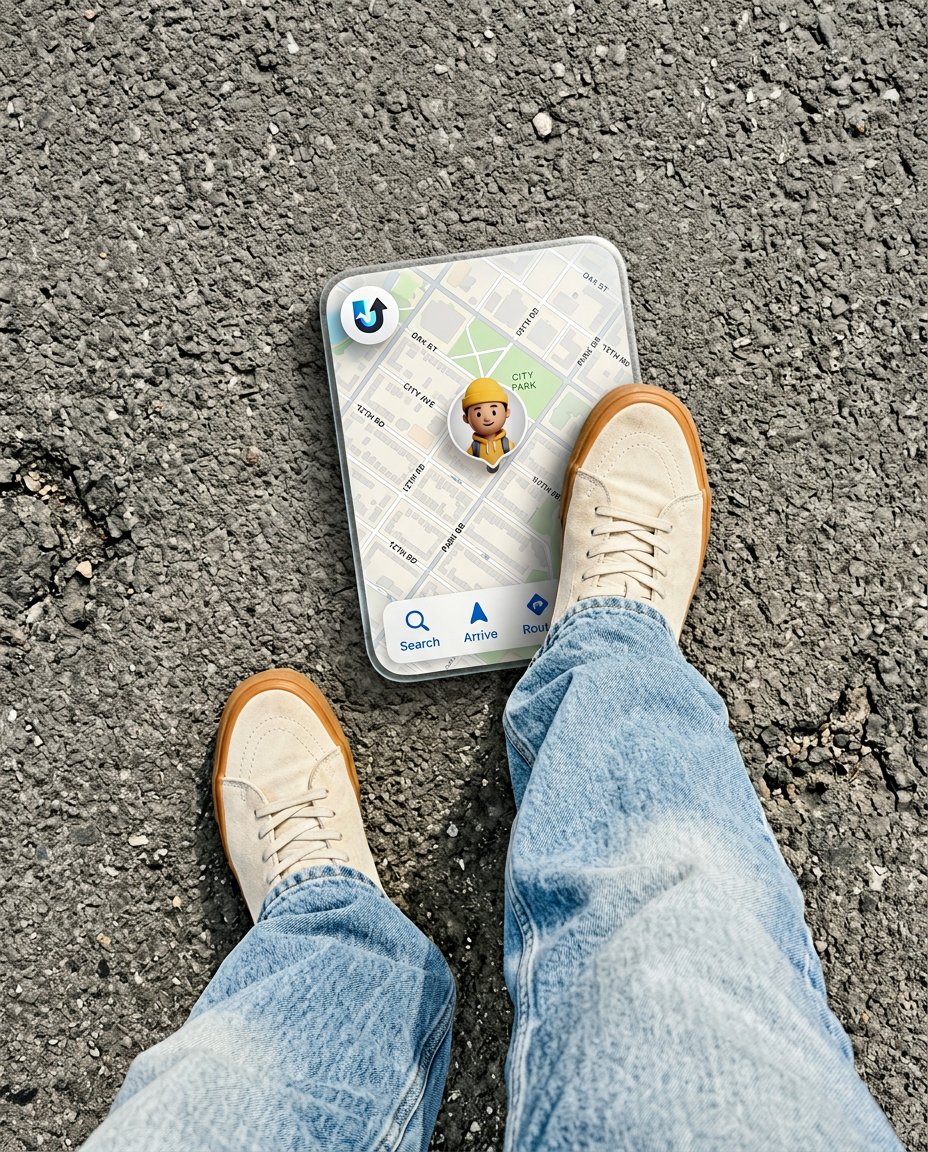
This photo-editing prompt shoots straight down at your feet on asphalt: light-wash wide-leg denim and retro high-top sneakers, one shoe stepping onto a floating rounded 3D translucent map card with tiny street names, a transit logo, navigation buttons and a custom 3D avatar pin, complete with a realistic drop shadow.
What This Prompt Creates
- Rebuilds your shot as a top-down bird’s-eye POV of your feet
- Styles light-wash wide-leg denim with retro high-top sneakers
- Floats a rounded 3D translucent map card under one sneaker
- Adds sharp asphalt texture and a realistic card drop shadow
How to Use It
Upload a reference photo of your outfit or shoes; even a mirror selfie works since only the lower body is shown. Paste the prompt into ChatGPT (GPT-4o image) and generate at 4:5.
Customize the Result
- Change the footwear: chunky loafers, skate shoes or boots
- Change the ground: asphalt, cobblestone or crosswalk stripes
- Change the map card: night mode, transit view or walking route
AI Photo Editing Prompt
PromptA creative top-down bird's-eye POV shot looking down at asphalt pavement. The subject's feet are visible wearing relaxed light-wash wide-leg denim jeans and vintage retro high-top sneakers. One sneaker steps directly onto a floating, rounded 3D translucent map card displaying street names, a small round transit logo, navigation buttons, and a customized 3D avatar pin. Sharp asphalt textures, realistic drop shadows under the floating card, crisp urban street aesthetic. Vertical 4:5 aspect ratio. Midjourney / Flux.1 alternative: [IMAGE_URL] top-down POV of [SUBJECT]'s sneakers stepping on a floating 3D translucent map card, wide-leg denim, asphalt, crisp urban aesthetic --ar 4:5 --style raw --cref [IMAGE_URL] --cw 15 --iw 2.0 (--cref locks the face, --cw 15 keeps facial features intact while restyling, --style raw keeps textures tactile.)
Negative Prompt
Negative Promptbad anatomy, extra feet, garbled UI text, misspelled words, brand logos, map brand markings, watermark, low detail
Prompt Details
| Prompt Type | Photo Editing |
|---|---|
| AI Tool | ChatGPT |
| Style | Photorealistic |
| Category | Fashion |
| Use Case | Instagram, Social Media |
| Tags | 3d map, denim, pov, sneakers, street style, top-down |
| Aspect Ratio | 4:5 |
| Lighting | Bright even daylight |
| Camera | Top-down POV |
| Lens | 24mm |
| Mood | Urban, crisp |
| Difficulty | Beginner |
How to Use This Prompt
- Copy the prompt using the button above.
- Open your preferred AI image-generation or editing tool.
- Upload the photo you want to edit.
- Paste the prompt into the text field.
- Adjust parameters (aspect ratio, quality, steps) if necessary.
- Generate or edit the image, then refine until you like the result.