AI Photo Prompt
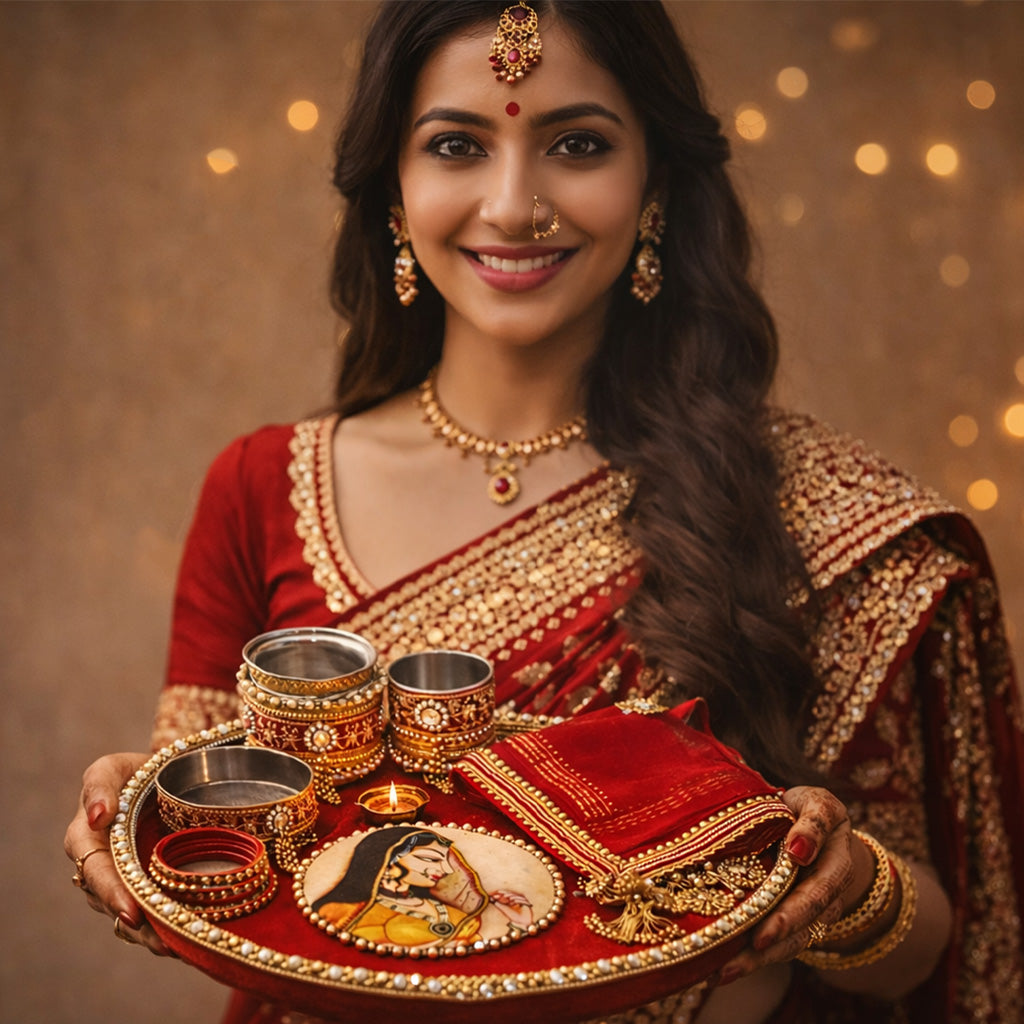
Use the uploaded photo as the reference and preserve the subject’s identity wherever the face or hands are visible. Create a detailed Karwa Chauth editorial photograph focused on a decorated puja thali, painted karwa pot, small lit diya, sieve, sweets, glass bangles and henna-adorned hands. Arrange the objects naturally on a traditional textile with a few flower petals. Use warm practical lamp light, subtle shadows, realistic metal and clay textures, and true-to-life henna patterns. Keep the composition intentional and uncluttered, with no invented writing. Close editorial crop, photorealistic texture, square 1:1 composition suitable for a carousel cover.
Negative Prompt
No extra fingers, impossible hands, melted objects, unreadable text, excessive glitter, distorted thali, fake logos, watermark or overly saturated gold.
How to Use
Upload a clear reference photo, paste the prompt into your preferred AI image editor, and review facial identity, hands and small ritual details before saving.
Format: 1:1 · Style: Detailed, festive, traditional · Use: Karwa Chauth festive posts, portraits and stories.
AI Photo Editing Prompt
Negative Prompt
Prompt Details
| Prompt Type | Photo Editing |
|---|---|
| Aspect Ratio | 1:1 |
| Camera | Editorial still life with hands |
| Lens | 50mm macro-style framing |
| Mood | Detailed, festive, traditional |
| Difficulty | Easy |
How to Use This Prompt
- Copy the prompt using the button above.
- Open your preferred AI image-generation or editing tool.
- Upload the photo you want to edit.
- Paste the prompt into the text field.
- Adjust parameters (aspect ratio, quality, steps) if necessary.
- Generate or edit the image, then refine until you like the result.