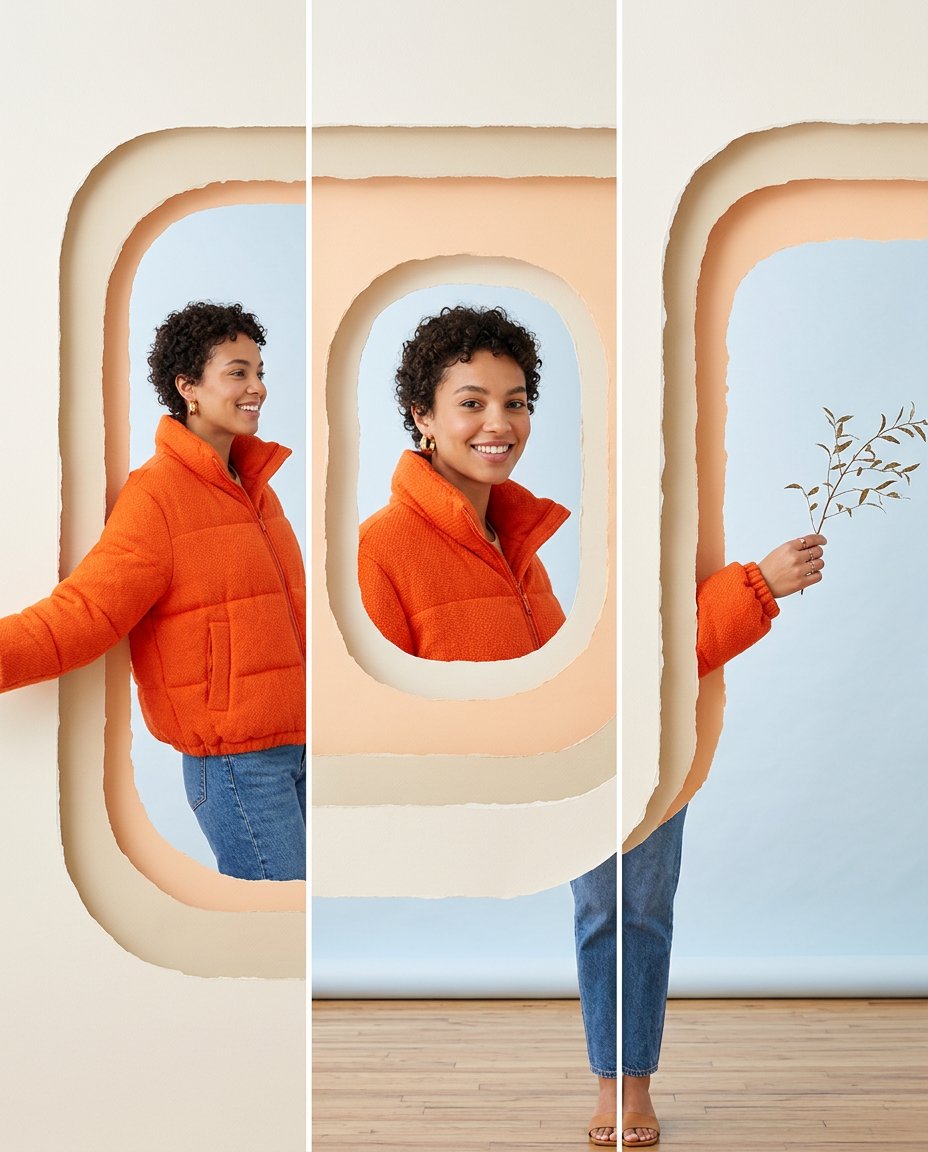
This prompt translates the cutout-window look from short-form editing into a static carousel people can swipe through. It uses layered frames and tactile openings to create depth around the subject, while keeping the face and body consistent from slide to slide. The result feels designed and dynamic without depending on generated typography.
What This Prompt Changes
- Builds three aligned portrait panels from one source photo or portrait
- Adds layered paper or card windows that reveal different parts of the subject
- Keeps face, clothing, lighting and scale coherent across every panel
- Creates a dimensional swipe effect without unrelated collage pieces or fake text
How to Use It
Upload a portrait with clear edges around the subject. Choose a frame material such as torn paper, frosted acrylic, colored card or soft fabric, then ask for three equal 4:5 panels. Export the panels separately or keep the generated contact sheet as a design reference for Edits or another carousel tool.
Customize the Result
- Try rounded windows, torn paper, archways, ticket slots, scrapbook frames or frosted glass
- Let the face, hand, prop or garment cross a different opening in each panel
- Use a minimal neutral palette, bold color blocks, magazine editorial or playful scrapbook styling
AI Photo Editing Prompt
PromptUse the uploaded portrait as the exact reference for the same adult's face, hairstyle, skin tone, clothing, body proportions and expression. Create a vertical 4:5 carousel design shown as three equal portrait panels with thin white gutters. Build a coherent pale-blue studio around the subject and layer tactile cream and peach paper frames with rounded cutout windows over the scene. Panel one reveals the subject's upper body through a tall opening; panel two centers the face inside a smaller rounded window; panel three lets one hand and a small branch pass through a side opening while the body remains naturally behind the paper. Make the windows feel physically stacked with believable paper edges and soft contact shadows. Preserve the subject's identity and color grade across all panels. Do not use a flat grid of unrelated images. Render no words, letters, numbers, labels, logo, app interface or watermark. Photorealistic editorial cutout-window carousel, vertical 4:5 per panel. Midjourney / Flux.1 alternative: [PORTRAIT_IMAGE] three-panel layered paper cutout-window carousel, same person, face and clothing preserved, subject passing through rounded openings, tactile paper edges and soft shadows, no text --ar 4:5 --style raw --iw 2.0
Negative Prompt
Negative Promptunrelated collage, changed face, duplicated limbs, broken paper edges, flat sticker sheet, random background changes, fake text, logo, watermark, app interface, distorted hands, inconsistent scale
Prompt Details
| Prompt Type | Photo Editing |
|---|---|
| AI Tool | ChatGPT |
| Style | Minimalist |
| Category | Photo Editing |
| Use Case | Instagram, Social Media |
| Tags | cutout carousel, cutout window, depth carousel, depth effect, layered carousel, paper cutout |
| Aspect Ratio | 4:5 |
| Lighting | Soft studio light with gentle paper shadows |
| Camera | Editorial social camera |
| Lens | 50mm portrait lens |
| Mood | Playful, dimensional |
| Difficulty | Intermediate |
How to Use This Prompt
- Copy the prompt using the button above.
- Open your preferred AI image-generation or editing tool.
- Upload the photo you want to edit.
- Paste the prompt into the text field.
- Adjust parameters (aspect ratio, quality, steps) if necessary.
- Generate or edit the image, then refine until you like the result.