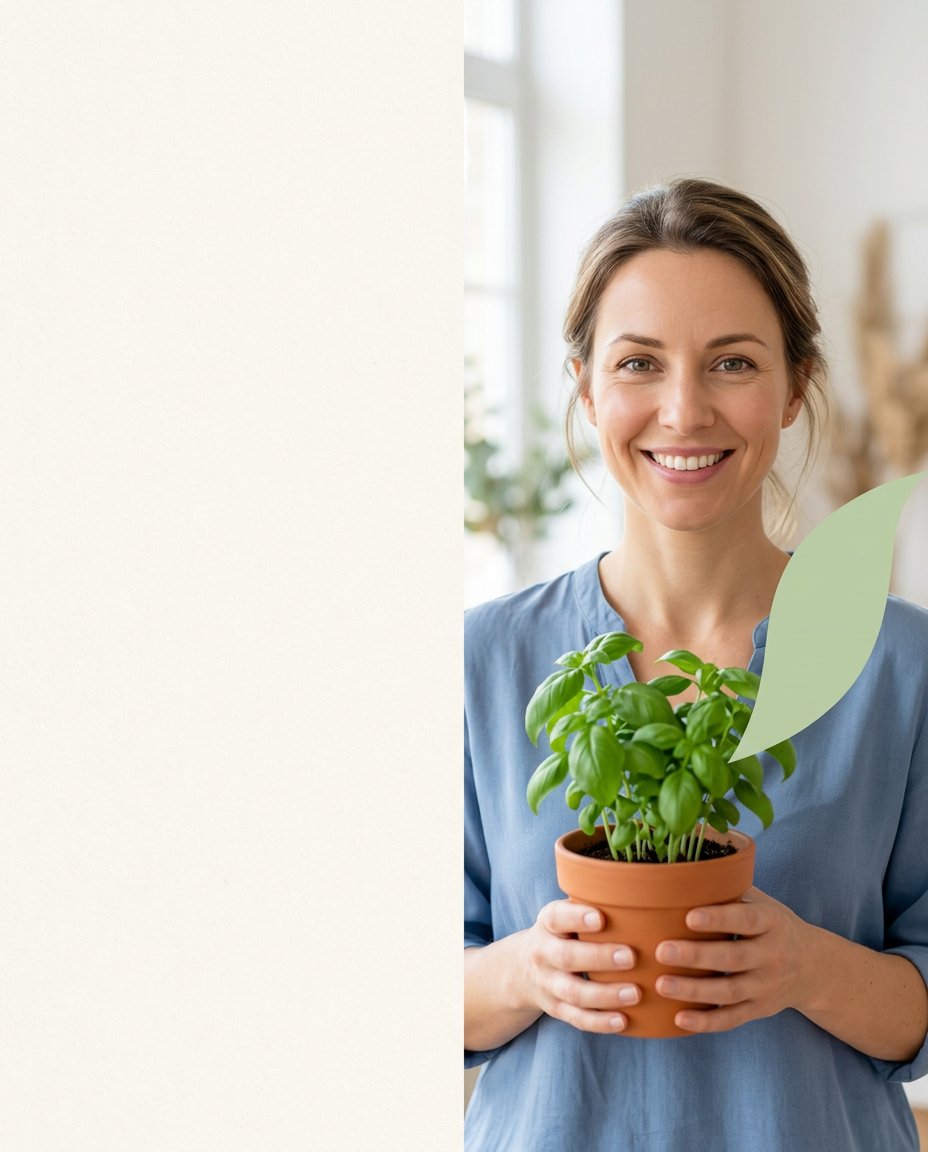
This prompt turns a source photo into the first slide of a saveable educational carousel. It places the subject where it reads clearly on a phone, creates a deliberate blank area for the real headline, and uses simple color structure without asking an image model to spell the teaching point.
What This Prompt Changes
- Recomposes a portrait or subject photo into a mobile-first 4:5 cover
- Creates a large blank headline-safe zone that remains genuinely empty
- Uses one restrained accent shape or color cue to add structure without clutter
- Preserves the source subject and leaves all teaching copy for the creator to add later
How to Use It
Upload a clear portrait, product or object photo and state the topic of the carousel in your instructions without asking the model to render the words. Choose left, right or top copy placement, then add the final headline and slide number in Canva, Instagram or another editor.
Customize the Result
- Put the headline area on the left, right or top depending on the subject’s pose and visual weight
- Use a warm neutral, pale blue, soft green, charcoal or brand color as the accent system
- Adapt the cover for a checklist, how-to, explainer, recipe, study note, beauty tip or product guide
AI Photo Editing Prompt
PromptUse the uploaded portrait or subject photo as the exact visual reference and turn it into a clean vertical 4:5 educational carousel cover. Keep the main subject on the right half with a clear face or object silhouette, realistic proportions and natural detail. Reserve the left 42 percent as a calm warm off-white headline-safe area with subtle paper texture and absolutely no objects, marks or text. Add only one restrained pale-green abstract accent shape near the subject to create hierarchy; keep it simple and nonverbal. Use bright natural window light, clear separation and a polished but approachable social-design composition that remains readable on a phone. Preserve the source subject's identity, colors and important details. Render no words, letters, numbers, icons, labels, bullet points, logo, interface or watermark because the creator will add the actual lesson later. Photorealistic educational carousel cover, mobile-first vertical 4:5. Midjourney / Flux.1 alternative: [SOURCE_IMAGE] clean educational social carousel cover, subject anchored on the right, 42 percent blank warm off-white headline-safe area on the left, one soft green abstract accent, photorealistic, no text --ar 4:5 --style raw --iw 2.0
Negative Prompt
Negative Promptgarbled text, fake letters, numbers, icons, crowded blank area, subject cut off, changed identity, distorted hands, excessive decoration, logo, watermark, app interface, unreadable typography
Prompt Details
| Prompt Type | Photo Editing |
|---|---|
| AI Tool | ChatGPT |
| Style | Minimalist |
| Category | Photo Editing |
| Use Case | Instagram, Marketing, Social Media |
| Tags | carousel cover, content design, educational carousel, headline safe space, saveable content, social media design |
| Aspect Ratio | 4:5 |
| Lighting | Bright natural window light |
| Camera | Editorial social-design camera |
| Lens | 50mm portrait lens |
| Mood | Clear, helpful |
| Difficulty | Beginner |
How to Use This Prompt
- Copy the prompt using the button above.
- Open your preferred AI image-generation or editing tool.
- Upload the photo you want to edit.
- Paste the prompt into the text field.
- Adjust parameters (aspect ratio, quality, steps) if necessary.
- Generate or edit the image, then refine until you like the result.