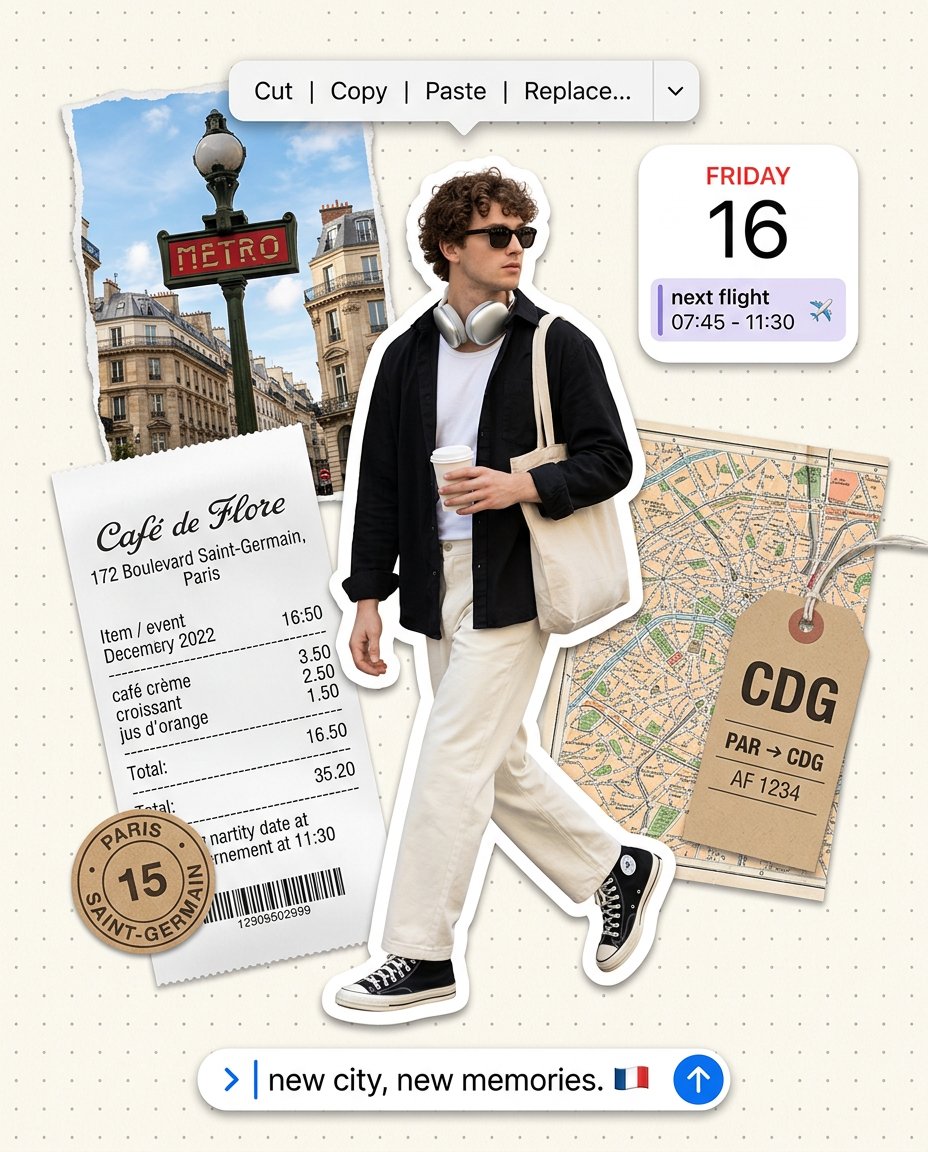
This photo-editing prompt rebuilds your portrait as a Paris travel scrapbook page on cream dot-grid paper: you stride through the frame as a sticker-edged cut-out with sunglasses, neck headphones, a black overshirt and cream wide-leg trousers, coffee in hand and a tote on your shoulder, surrounded by a torn METRO photo, a Cafe de Flore receipt, a kraft PARIS SAINT-GERMAIN token, a CDG baggage tag tied to a folded map, a FRIDAY 16 next-flight calendar widget, a floating Cut-Copy-Paste-Replace edit menu and a ‘new city, new memories’ text bar.
What This Prompt Creates
- Cuts you out as a sticker-edged full-body figure striding with a coffee cup and canvas tote
- Styles you in sunglasses, neck headphones, black overshirt, white tee, cream wide-leg trousers and black high-top sneakers
- Adds a floating smartphone edit-menu pill reading Cut | Copy | Paste | Replace…
- Layers Paris ephemera: torn METRO entrance photo, Cafe de Flore receipt, kraft token, CDG tag on a folded map
- Floats a FRIDAY 16 calendar widget with a next-flight event and a bottom chat bar reading new city, new memories
How to Use It
Upload one clear full-body or three-quarter reference photo to ChatGPT (GPT-4o image) and paste the prompt. A walking reference gives the cleanest stride; for headshots only, ask the model to extend the pose into a mid-step stride first. Generate at 4:5 so the ephemera layout matches the sample.
Customize the Result
- Swap the city: Paris for Tokyo, Rome or New York with matching ephemera
- Change the chat-bar caption: your own one-liner, date or handle
- Change the widget: next flight, hotel check-in or concert ticket event
- Swap the palette: cream dot-grid, kraft paper or pastel background
AI Photo Editing Prompt
Negative Prompt
Prompt Details
| Prompt Type | Photo Editing |
|---|---|
| AI Tool | ChatGPT |
| Style | Photorealistic |
| Category | Fashion |
| Use Case | Instagram, Social Media |
| Tags | chat bubble, coffee, collage, headphones, metro, paris, polaroid, scrapbook, streetwear, tote bag, travel |
| Aspect Ratio | 4:5 |
| Lighting | Crisp studio daylight |
| Camera | Studio daylight |
| Lens | 50mm |
| Mood | Playful editorial |
| Difficulty | Beginner |
How to Use This Prompt
- Copy the prompt using the button above.
- Open your preferred AI image-generation or editing tool.
- Upload the photo you want to edit.
- Paste the prompt into the text field.
- Adjust parameters (aspect ratio, quality, steps) if necessary.
- Generate or edit the image, then refine until you like the result.