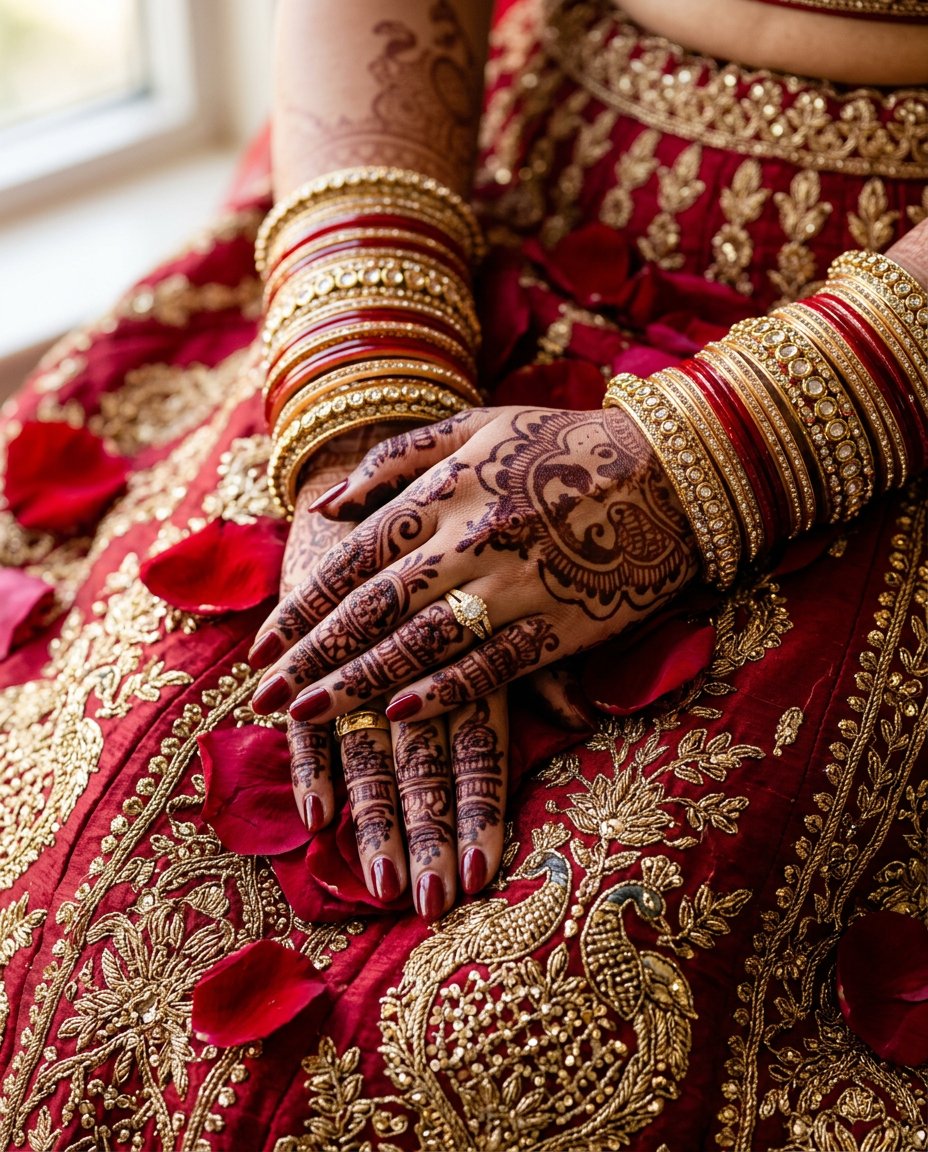
This photo editing prompt turns a photo of hands into a bridal mehndi close-up. It adds intricate henna patterns, gold bangles and rose petals on rich fabric. Perfect for wedding content, mehndi posts and bridal detail feeds.
What This Prompt Changes
- Adds intricate dark henna mehndi patterns
- Adds red and gold bangles
- Swaps the background for embroidered fabric with rose petals
- Keeps the hands and pose recognizable
Best Photo for This Prompt
Use a clear photo of your hands or any hand close-up in even light. Relaxed, elegant hand poses work best. Avoid dark photos and heavy filters.
Customize the Result
- Change the mehndi pattern style
- Change the bangles: gold, red or green
- Change the fabric: silk, velvet or dupatta
- Change the format: 9:16 for Stories or 1:1 for the grid
AI Photo Editing Prompt
PromptTransform the uploaded photo into a bridal mehndi hands close-up. Keep the hands and pose recognizable and add intricate dark henna mehndi patterns on the palms and fingers, red and gold bangles on the wrists, resting on rich red and gold embroidered fabric with scattered rose petals. Lighting: soft warm light with a gentle glow and soft shadows. Camera: vertical 4:5 Instagram framing, 50mm lens look, shallow depth of field with high detail on the henna patterns and bangles. The result should look like a professionally photographed bridal mehndi close-up.
Negative Prompt
Negative Promptchanged face, distorted hands, extra fingers, cartoonish, watermark, text, oversaturated, dark shadows
Prompt Details
| Prompt Type | Photo Editing |
|---|---|
| AI Tool | Flux |
| Style | Photorealistic |
| Category | Photo Editing |
| Use Case | Instagram, Social Media |
| Tags | bangles, bridal, henna, instagram, mehndi, photo editing, wedding |
| Aspect Ratio | 4:5 |
| Lighting | Soft warm |
| Camera | DSLR |
| Lens | 50mm |
| Mood | Elegant |
| Difficulty | Beginner |
How to Use This Prompt
- Copy the prompt using the button above.
- Open your preferred AI image-generation or editing tool.
- Upload the photo you want to edit.
- Paste the prompt into the text field.
- Adjust parameters (aspect ratio, quality, steps) if necessary.
- Generate or edit the image, then refine until you like the result.