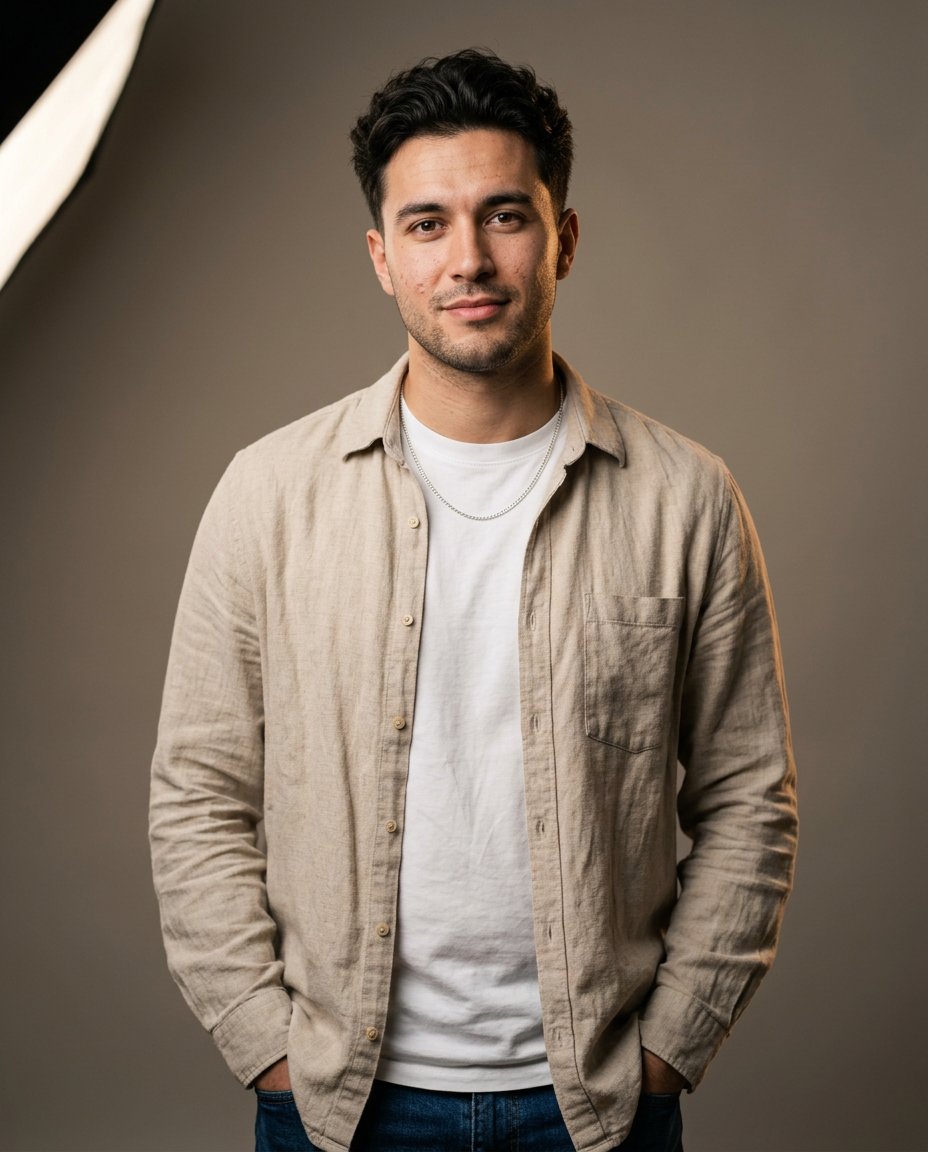
This Gemini AI boy photo prompt is a ready-to-copy instruction for a realistic editorial male portrait. It specifies styling, pose, lighting and composition so you can paste it straight into Gemini and generate a polished result.
AI Image Prompt
PromptCreate a realistic editorial portrait photograph of an adult man in his early twenties. Style him with a modern textured haircut, a clean beige overshirt over a plain white t-shirt and a simple silver chain necklace. Pose him standing with one hand resting in his pocket, shoulders relaxed, looking directly at the camera with a calm, confident expression. Set him against a plain warm-grey studio background for a clean, minimal look. Use soft key lighting from the upper left with a gentle fill and a subtle rim light to separate him from the background. Shoot with a full-frame mirrorless camera at an 85mm focal length and a wide aperture for a softly blurred background. Preserve natural skin texture, realistic eye detail and accurate proportions. Apply a clean, natural color grade with slightly warm skin tones and soft contrast. The final result should look like a professional editorial portrait, sharp and realistic, aspect ratio 3:4
Negative Prompt
Negative Promptplastic skin, distorted face, extra fingers, harsh flash, overexposed, cartoonish, blurry, watermark, oversaturated, deformed hands
Prompt Details
| Prompt Type | Image Generation |
|---|---|
| AI Tool | Gemini |
| Style | Photorealistic |
| Category | People, Photo Editing, Photography, Portrait |
| Use Case | Boys, Instagram, Social Media |
| Tags | ai photo prompt, boy portrait, copy paste prompt, editorial, gemini, male portrait |
| Aspect Ratio | 3:4 |
| Lighting | Soft key + rim light |
| Camera | Full-frame mirrorless |
| Lens | 85mm f/1.8 |
| Mood | Confident |
| Difficulty | Beginner |
How to Use This Prompt
- Copy the prompt using the button above.
- Open your preferred AI image-generation or editing tool.
- Paste the prompt into the text field.
- Adjust parameters (aspect ratio, quality, steps) if necessary.
- Generate or edit the image, then refine until you like the result.