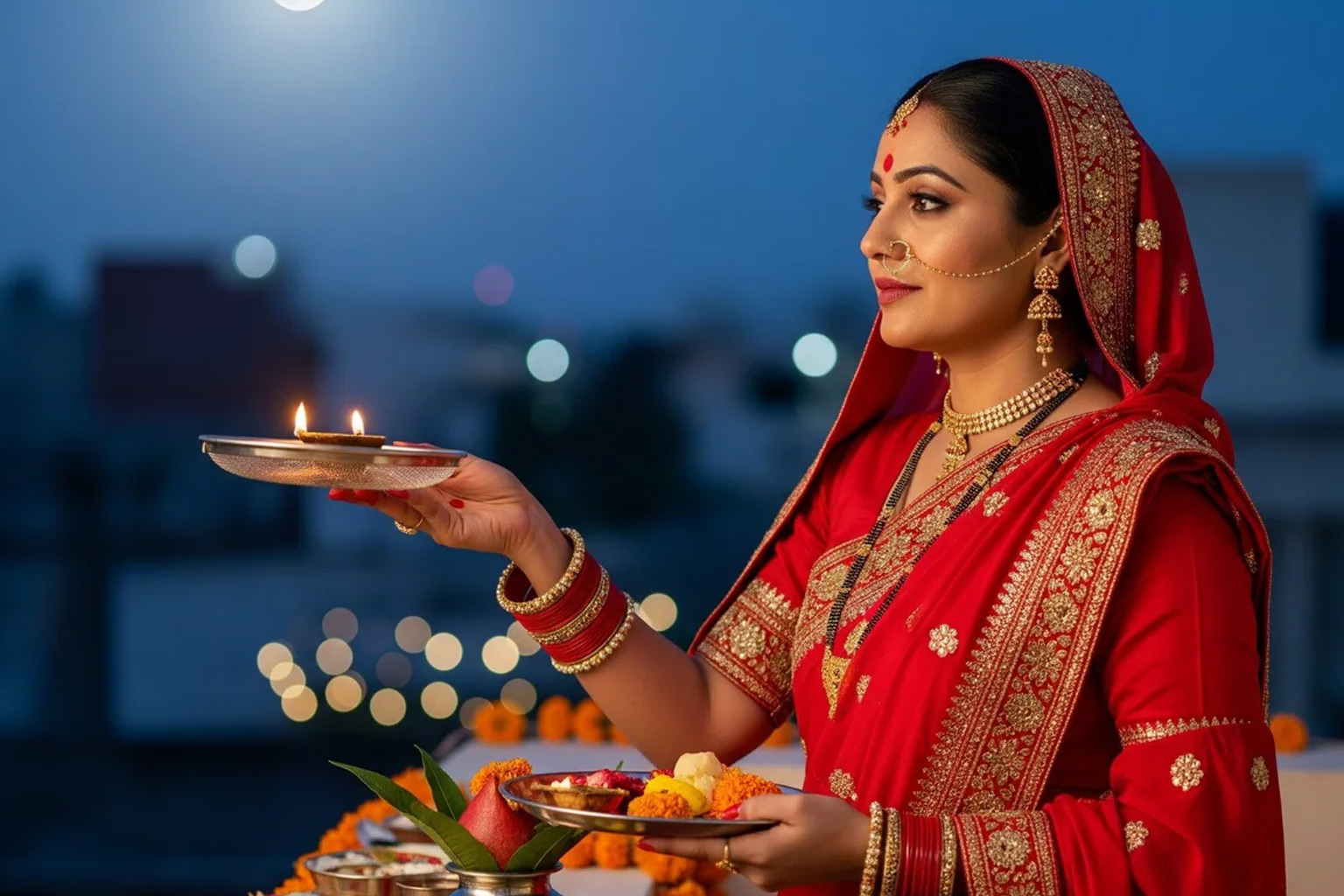
AI Photo Prompt
Use the uploaded photo as the exact identity reference, preserving the same face, skin tone, hairstyle, age and body proportions. Create a graceful Karwa Chauth festive-look portrait that highlights the saree border, earrings, bangles, mangalsutra if present in the reference, and natural mehndi details. Let the subject hold a small decorated puja thali at waist height, with a softly blurred terrace or home setting in the background. Use flattering but realistic evening light, crisp fabric and jewelry details, natural skin texture and restrained festive colors such as ruby, wine, blush or deep teal with gold accents. Compose a three-quarter portrait with enough space to show the outfit styling; photorealistic, vertical 4:5 crop.
Negative Prompt
No face alteration, invented jewelry that obscures the face, exaggerated makeup, inaccurate hands, artificial henna patterns, excessive gold glow, text or watermark.
How to Use
Upload a clear reference photo, paste the prompt into your preferred AI image editor, and review facial identity, hands and small ritual details before saving.
Format: 4:5 · Style: Polished, festive, graceful · Use: Karwa Chauth festive posts, portraits and stories.
AI Photo Editing Prompt
Negative Prompt
Prompt Details
| Prompt Type | Photo Editing |
|---|---|
| Aspect Ratio | 4:5 |
| Camera | Three-quarter fashion portrait |
| Lens | 85mm portrait lens |
| Mood | Polished, festive, graceful |
| Difficulty | Easy |
How to Use This Prompt
- Copy the prompt using the button above.
- Open your preferred AI image-generation or editing tool.
- Upload the photo you want to edit.
- Paste the prompt into the text field.
- Adjust parameters (aspect ratio, quality, steps) if necessary.
- Generate or edit the image, then refine until you like the result.